Godot addon + Claude Code plugin
Mark it while you play. Claude fixes it.
Press CtrlShiftM in your running Godot game. Pin what's wrong and write a line. Claude Code gets the frame, the last five seconds, the log and the code under your pin.
Playmark in a toy Godot scene: a pin on the teal square, the note 'Boxy should be orange', saved; then the square turns orange and a toast says Fixed #1
How it works
-
Play
Run your game from Godot. Playmark keeps the last five seconds.
-
Mark
CtrlShiftM freezes the frame. Click to pin, drag to box, 1 to 5 for a category, then a note.
-
Claude fixes
Your next prompt in Claude Code mentions the mark.
/playmark:triagefinds the code under your pin and proposes a fix. You say which. -
Retest
The game says "Fixed #3" and leaves a marker where you made the mark. Walk back and check.
Try it
One mark, one fix.
Guided runs on a toy scene, the same flow as in Godot. Pick a change, five steps each.
In a real game
Redesigning an enemy in Wandcraft
Wandcraft is a pixel-art roguelite. Its Thornback, an enemy that charges at you, looked like a loaf of bread. One mark, mid-fight:
Redesign the Thornback: make it look like a charging ram, with curled horns, thorns along its back and a glowing eye.
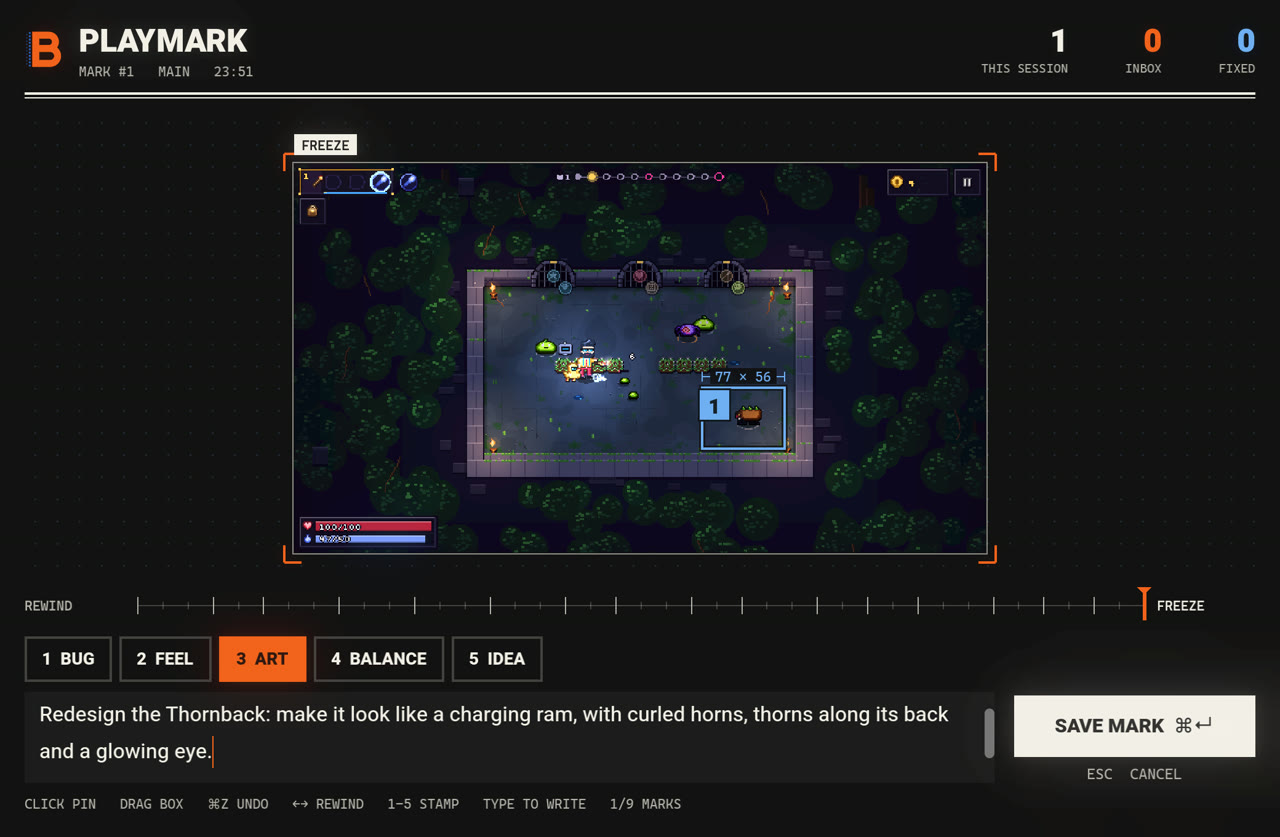
- The box found the node.
enemy.gd, kindram, with the run's state: room, wave, hp, the wand. - Claude found the art. 16 rows of pixel data in
bestiary.gd, drawn with the game's palette rules. - The redraw. A hunched back, bramble spikes, a curled horn, a glowing eye.
- Back in the fight. "Fixed #1", and the marker stays where the mark was made.
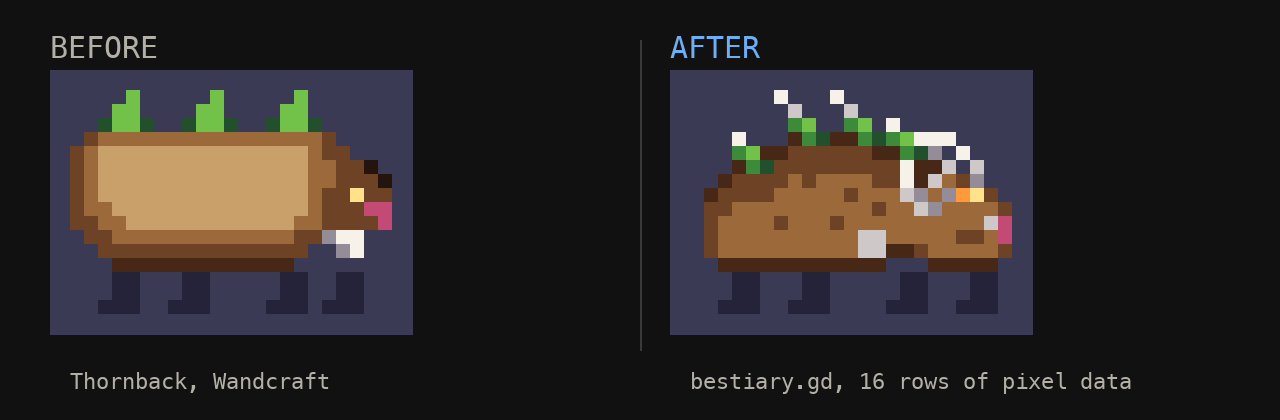
The fight replayed after the fix: the new Thornback charges in and a toast says Fixed #1
The mark
What Claude gets
Every mark is a folder in .playmark/inbox, git-ignored by default. This is the real one from the video.
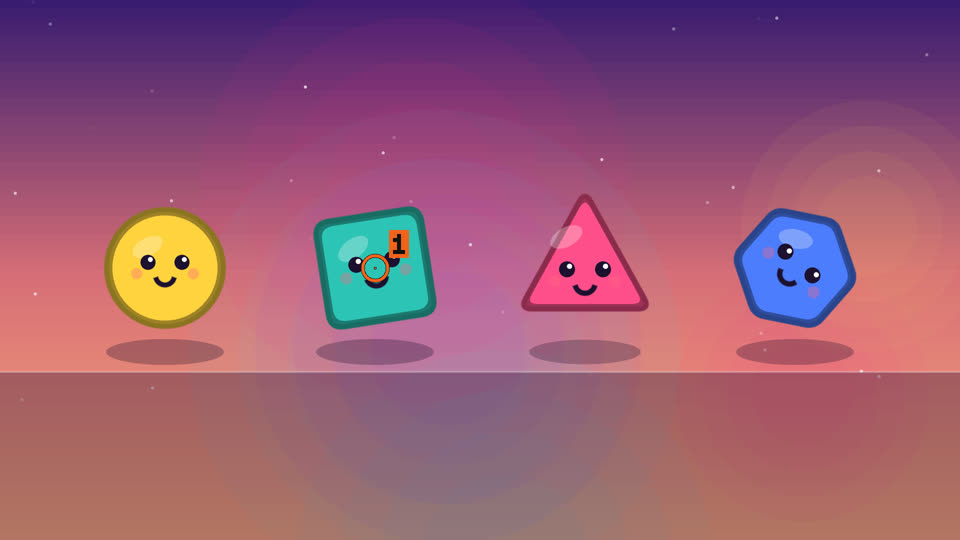
annotated.png the frame, pins numberedannotated.pngthe frame, pins numberedclip_sheet.pngthe last seconds, oldest firstlog.txtwarnings and errorsmark.jsonnote, scene, the nodes and scripts under each pin, your game's state
{
  "seq": 1,
  "category": "art",
  "note": "Boxy should be orange",
  "marks": [{ "type": "pin", "x": 750, "y": 536 }],
  "scene": { "path": "res://shapes.tscn" },
  "under_marks": [{
    "mark": 1,
    "physics": [{
      "path": "Boxy",
      "class": "Area2D",
      "script": "res://shape.gd"
    }]
  }],
  "context": { "look": [ … ] }
}
Inside
What it does
Rewind
Missed the moment? Step back up to five seconds and mark that frame.
The code under your pin
Colliders, nodes, scripts and UI controls, per pin and box.
Ghosts
Past marks stay in the world where you made them. Orange is open, blue is fixed.
Errors mark themselves
A script error becomes a bug mark, with the clip and the log.
Warp back
Open the game at a mark. Claude can grab a frame to check its fix.
Your game's state
One line adds the player, the level or the loadout to every mark.
Sharp at any resolution
The overlay is its own window, so pixel-art games read fine.
Dev builds only
Nothing runs in a release export unless you turn it on.
Install
Three commands in Claude Code
/plugin marketplace add barmoshe/playmark/plugin install playmark@playmark/playmark:installin your game's repo
Without Claude Code, copy addons/playmark into your project and enable it in Project Settings, Plugins. Updates: claude plugin update playmark.
Why
I made Playmark while building Wandcraft, a roguelite where you program your wand. Playtesting my own game, I kept noticing small things I didn't want to stop and write up. Now I press a key, point, and keep playing.